
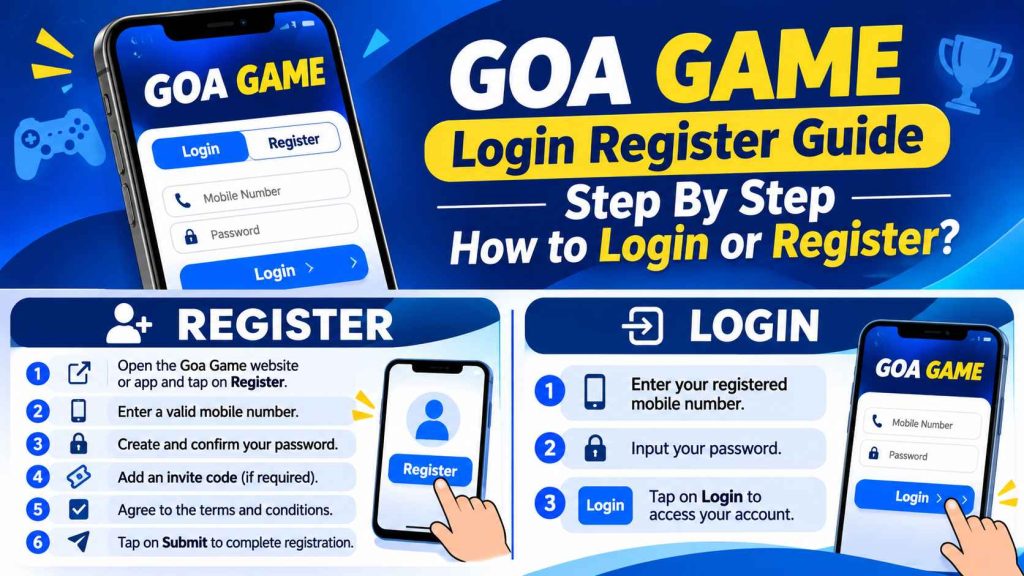
Getting started with an online gaming platform can sometimes be confusing, especially for new users who are unfamiliar with the registration and login process. If you are looking for a simple Goa Game Login Register Guide, this article will help you understand how to create an account and access an existing one.
Goa Game provides users with access to its gaming interface through its website and available mobile options. Whether you are visiting for the first time or returning to your account, understanding the correct login and registration steps can make the process easier.
In this guide, we will explain how to register on Goa Game, log in using your registered details, recover a forgotten password and troubleshoot common account access problems.
What Is Goa Game?
Goa Game is an online gaming platform that provides access to different types of digital games through its available interface.
Users can explore the platform, check available features and manage their accounts after completing the registration process.
The platform may be accessible through a mobile browser or an available application, depending on the current version and supported options.
Before creating an account, users should review the platform’s terms, privacy information, age requirements and applicable local laws.
How to Register on Goa Game? Step-by-Step Guide
If you are a new user, you will need to complete the registration process before accessing account features.
The process generally requires an active mobile number and a password. Additional details or an invitation code may be requested depending on the registration form.
Follow these steps:

Step 1: Visit the Goa Game Website
Open your browser and visit the Goa Game website.
Check the complete website address before entering any personal information. Avoid using unknown links shared through messages or social media.
Step 2: Click on the Register Button
Once the website opens, locate the Register button.
Click or tap it to access the account creation form.
Step 3: Enter Your Mobile Number
Enter an active mobile number in the required field.
Make sure the number is correct because it may be used for account verification and future recovery requests.
Step 4: Create a Strong Password
Choose a password that is difficult for other people to guess.
Use a combination of letters, numbers and supported special characters. Avoid using your name, date of birth or commonly used passwords.
Step 5: Confirm Your Password
If the registration form provides a confirmation field, enter the same password again.
Check both entries carefully to avoid typing mistakes.
Step 6: Enter an Invitation Code (If Required)
Some registration forms may include an invitation or referral code field.
Enter a valid code only if you have one and the platform requests it. Check any promotional conditions before accepting an offer.
Step 7: Accept the Terms and Submit
Read the available terms and privacy information before submitting your registration details.
Complete any required verification and click the Register button.
If your information is accepted, the platform should display a confirmation message or direct you to the account interface.
How to Login to Goa Game? Step-by-Step Process
Already have an account? You do not need to register again.
The Goa Game Login process generally requires the mobile number and password associated with your existing account.
Follow these instructions:

Step 1: Open the Goa Game Login Page
Visit the Goa Game website using a verified website address.
Find the Login button, usually displayed in the main navigation area or homepage.
Step 2: Enter Your Registered Mobile Number
Type the mobile number you used during registration.
Make sure you do not accidentally enter a different number or include unnecessary spaces.
Step 3: Enter Your Password
Enter the password associated with your Goa Game account.
Check the spelling, numbers and uppercase or lowercase characters before continuing.
Step 4: Click on the Login Button
After entering your details, select the Login button.
Wait for the platform to verify your information.
Step 5: Access Your Account
If your login details are correct, you should be directed to your account interface.
You can then explore the available account options and features.
Goa Game Login vs Register: What Is the Difference?
New users sometimes confuse the Login and Register options.
Although both options are displayed on the same platform, they serve different purposes.
| Feature | Goa Game Login | Goa Game Register |
|---|---|---|
| Purpose | Access an existing account | Create a new account |
| Mobile number | Required | Required |
| Password | Existing password | Create a new password |
| Verification | May be requested | May be requested |
| Account status | Already registered | New account creation |
Important: If you already have an account, use the Login option instead of creating another account.
How to Reset a Forgotten Goa Game Password?
Forgetting a password can prevent you from accessing your account.
If you cannot remember your Goa Game password, check whether the login page provides a Forgot Password option.
You can generally follow these steps:
- Open the Goa Game Login page.
- Find the Forgot Password option.
- Enter your registered mobile number.
- Follow the available verification instructions.
- Enter the verification code yourself if requested.
- Create a new, strong password.
- Return to the login page and try signing in again.
The exact recovery procedure may depend on the current platform interface.
Never share your OTP or password with another person, even if they claim to provide account support.
Common Goa Game Login Problems and Their Solutions
Sometimes users may experience difficulties while accessing their accounts.
Most login problems can be investigated by checking the entered information, internet connection and browser settings.
Here are some common issues and possible solutions.
1. Incorrect Mobile Number
Entering an incorrect mobile number can prevent successful login.
Double-check that you are using the same number associated with your registered account.
2. Wrong Password
A typing mistake or outdated password may cause a login failure.
Check your password carefully or use the official password recovery option.
3. OTP Not Received
If an OTP is required but does not arrive, check your mobile network and confirm that the registered number is active.
Wait before requesting another code, and avoid repeatedly submitting verification requests.
4. Website Not Opening
A slow internet connection, browser issue or temporary website problem may prevent access.
Try refreshing the page or opening the website in an updated browser.
5. Account Verification Problems
Some platforms may request additional verification before allowing account access.
Follow the instructions displayed on the official interface and contact verified support if the issue continues.
Important Security Tips for Goa Game Users
Account security should be a priority whenever you create an online account.
Follow these precautions to protect your personal information:
- Use a unique password that you do not use on other websites.
- Never share your OTP, password or payment PIN.
- Avoid logging in through suspicious third-party links.
- Do not save passwords on public or shared devices.
- Check the website address before entering account details.
- Keep your browser and mobile operating system updated.
- Log out after accessing your account on another person’s device.
These simple practices can help reduce the risk of unauthorized account access.
Frequently Asked Questions About Goa Game Login and Registration
1. How can I register on Goa Game?
Visit the verified Goa Game website and select Register. Enter your active mobile number, create and confirm your password, provide any other requested details and complete the verification process if required.
2. How do I log in to Goa Game?
Open the login page, enter your registered mobile number and password, and select Login. If the information is correct, you should be able to access your account.
3. Can I register on Goa Game using my mobile phone?
You can access the registration page through a compatible mobile browser if the website is available. Follow the instructions displayed on your device.
4. What should I do if my Goa Game login is not working?
Check your mobile number and password first. If the problem continues, try the password recovery option or check whether the website is temporarily unavailable.
5. Is an invitation code necessary for Goa Game registration?
An invitation code may be requested depending on the registration form. Check the current requirements before submitting your information.
6. Can I recover my Goa Game account if I forget my password?
If the platform provides an account recovery option, follow its verification process using your registered details.
7. Why am I not receiving the Goa Game OTP?
Possible reasons include network problems, an incorrect registered number or delayed message delivery. Check your mobile connection and try again after a short wait.
8. Is Goa Game registration free?
Check the current registration terms displayed on the platform. Do not assume that creating an account includes a guaranteed bonus or that all gaming features are free.